Showing posts with label Microsoft. Show all posts

Saturday, 3 May 2014

WINDOWS 8.1 UPDATE 1 DOWNLOAD WITH ACTIVATOR

1 comment


Hey Friends,
                   I am back (sorry for such a long absence) with a wonderful software that will blow you away. Friends, we have already provided you with a Windows 8.1 Download along with the best and only working activator on the web and now, we are back with a new update to this series of Windows operating system. Windows 8.1 Update 1 is a major update to the traditional Windows 8 and a minor update for Windows 8.1.  Equipped with latest looks and features, this version of Windows will leave you jaw dropped. So, lets move ahead and explore the features of this might monster.

Features of Windows 8.1 Update 1:

  • Fast, Efficient and a big power saving operating system
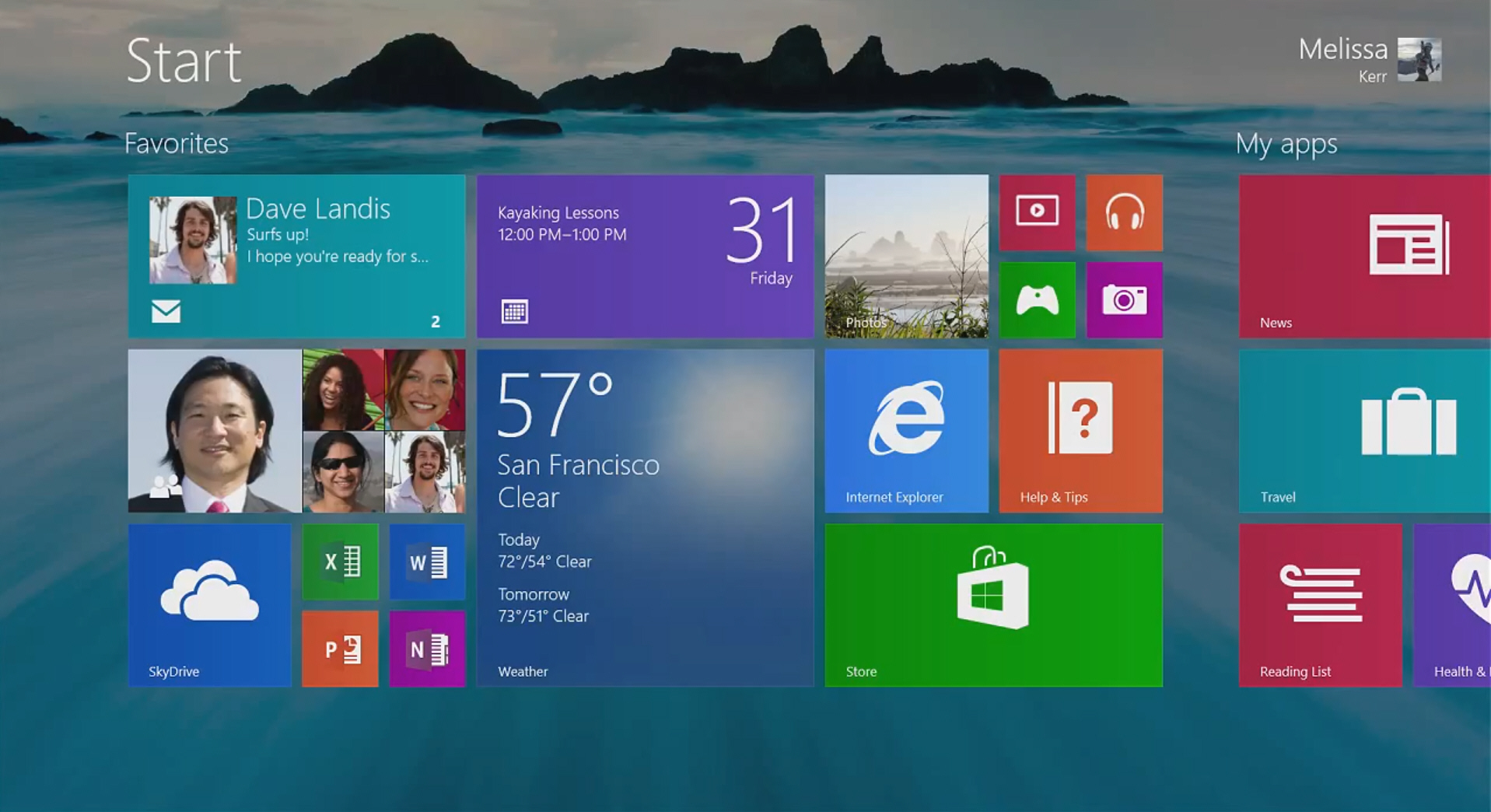
  • Ability to set your Desktop wallpaper as your Start Screen Wallpaper
  • Loads the Desktop windows by default on start-up (can be changed if desired)
  • A close button at the top of Windows Apps (appears on mouse hover)
  • Displays the Taskbar in Windows apps (Appears on mouse hover)
  • Shows the Windows apps on Taskbar when they run
  • Search and Shutdown button on the Start screen
  • Show app download status directly in the start screen with a App Icon
So, these were some countable features of this big monster
Now, lets go through the steps to Download and Install Windows 8.1 Update 1 

Steps to Download and Install Windows 8.1 Update 1:
  • Download Windows 8.1 Update 1 from here (Download Windows 8.1 Update 1)
  • This is a torrent file so you will need utorrentz file to access this file
  • Download the Windows 8.1 with utorrent in a safe place
  • Install the Window with your desired setting
  • For steps on Installing Windows, Click here
  • If you wish to purchase the Windows, then go for it
  • If you want to Activate it for free, Follow this link  
  • Enjoy


This is a latest Update by Awdsoft which will not be easily available on the web.
Enjoy!

Read More...

Wednesday, 22 January 2014

WINDOWS 8.1 ANY VERSION LIFETIME ACTIVATOR/CRACK

2 comments

Hey Friends,
Today, I have got a very wonderful thing for you. Friends, most of you must have got the latest version of Windows, which is Windows 8.1 installed on your PC (If you haven’t, click here). Many of you may even have used the ‘Activator/Crack’ provided by Awdsoft for activation of your Windows 8.1. But, there is a very bad news for all those people who used our Activator. The activator provided by Awdsoft expired on January 15, 2014 and is no longer able to activate any version of Windows 8.1.
Fortunately, Awdsoft has found another working activator that will activate your current version of Windows 8.1 in jiffy. This activator works for about 180 days and after that, it will automatically renew itself. This is a KMS activator and I know most of you will immediately leave this site after reading the name (KMS) because KMS activator for Windows 8.1 are till now the worst activators. But, you don’t have to worry because this is an updated activator that is fully functional and has been personally used by me to activate my Windows 8.1 for 180 days interval.
So, lets perform our ritual of telling the features.....

The features of this activator:
·         The only working activator on the web that is personally used by me
·         Compact in size and fast and easy to use
·         Activates windows 8.1 for lifetime!

So, these were some features of this little monster…
Now, not taking a breather, here I go with the steps…

Steps to Download and Use Windows 8.1 Activator:
  •  Download the Windows 8.1 Activator from here  (Download Activator)
  • If you have already tried another Windows 8.1 activator, then scroll down (end of this post)
  • Password is ‘awdsoft
  •  Extract the ‘KMSpico.exe’ file
  • Run as Administrator by right clicking the icon (Activator) and choosing ‘Run as Admin’  
  • Wait for the Installation process to complete
  •  In some cases, the installation process stuck at a particular point, if it happens with you, force close it from the Task Manager (ALT+CTRL+DELETE)
  • Go to “Local Disc C: > Program Files > KMSpico” and run ‘KMSpico.exe’
  • Click on ‘Token Backup’ button which is a ‘Green Arrow Facing Down Icon'
  •  After that, Click the ‘Red Button’
  • Wait for the process to complete and then close the activator (it may take some time for the process to complete)
  • Restart your Windows 8.1 to remove watermark (if they exist)
  • If watermarks are still there after Restart, use our Watermark remover to remove it (Download)
  • Just check the ‘Remove all Watermark’ option from the watermark remover
  • Click on ‘Apply New Settings’ and Re-start your PC.
  • Enjoy

So, I think that most of you were able to activate your Windows 8.1 but there may be some of you who have already tried another activator for their version of Windows 8.1. Those who earlier tried another activator have to follow a few more steps to use the above activator.

Steps to Activate when Activation Attempt done earlier:
  • Extract and Run ‘Winact 1.4.1.exe’ included in the Activator file  (Download Activator)
  • Run as Administrator by right clicking the icon(Winact 1.4.1) and choosing ‘Run as Admin'
  • Go to ‘Options’ tab and choose ‘Reset Licence'
  • Wait for the small process to complete and close it
  • Then follow the steps above to activate Windows 8.1 for Lifetime!  


Read More...

Tuesday, 14 January 2014

TIPS AND TRICKS TO SPEED UP PC

2 comments

Hey Friends,
I am back with a Tips and Tricks post for you. Friends, Today I have tried to solve a problem that almost each and every PC using individual on the earth must be encountering. All of you must have realized this thing at one point or the other that ‘your PC becomes a slow tortoise from a fast Horse’. This is a universally acknowledged fact that your PC will become slow unless and until you have the trick to keep it fast. I know most of you must be having their own way to speed up their PC but ‘Do you think that the way you speed up your PC is effective in long term?’

YES/NO


The opinion varies from person to person but today, we have found the most effective ways through which you can bring back your fast horse (old PC speed) in matter in seconds. I used to suffer from similar problem with my PC and didn’t leave even a single stone unturned to speed up my PC but I only faced failure. But now, I have mastered the technique to speed up PC in a matter of seconds and I am sharing this trick with you.
Now, before proceeding to the Main part, let me clarify one thing very clearly. These tricks are effective in short as well as long term so don’t that just think that these tricks are like ‘Camphor’ will show its effect for a few seconds but soon will become worthless.
So, not taking much of your time, although I know I have taken, here I go with the steps…

Tricks to Turn Old tortoise (Slow PC) to Fast Horse (Fast PC):


1.     The CCleaner Trick:
This is the best trick if you surf a lot on the web. This trick rather, this software is personally used by me for Optimizing my PC’s performance. Friends, you all must know that when you are surfing the web, websites create a lot of ‘Cookies’ in the web browser that get stored in the internal memory of the PC as temporary files. These files are very bulky in size (Average 128 MB after 1 hour of browsing) and consume a great part of your ‘RAM’ resulting in loss of PC’ Performance. Moreover, it’s a very interesting fact to be noted that whenever you open your Web-Browser, approximately 12-15 virus (RAM Consuming Virus) get transferred to your PC which will significantly contribute to your slow PC. One more important thing that should be noted is that when you Install/Uninstall a ‘Software’ from your system, it creates log/registry files on your PC which further add to the problem of slow PC. So, to deal with all these problems, I personally recommend you to use ‘CCleaner’, a very powerful cookie and registry/log file remover. This Software is paid software and has been successfully cracked/Activated by Awdsoft so, you can just search for this software on Awdsoft or Just use the link below to get Access to this particular post regarding CCleaner.

2.      Temporary File Removing Trick:
Well, according to what I feel, most of the people know about this trick but still there are many who haven’t even heard about it. So, what basically is there in this trick?   As mentioned earlier that browser creates ‘Cookies’ in your PC resulting in slow speed, similarly, as you do any kind of work on your PC (Online/Offline), the program that you are using or may be those programs that you are not using will create Temporary files on your ‘RAM’ resulting in slow PC speed. These temporary files may seem to be very small in size but when 100 or even 1000 of these files get stored on your PC’s RAM, They are sure to blow away your mind. So, it’s very necessary to clean these files for a Safe, Secure and Fast PC. So, let’s see the process to clean these unwanted files from your PC.
Steps to Clean Temporary Files from PC:
·        Open ‘Run’ on your PC either by searching from the start bar or using the shortcut key combination (Windows Logo + R)
·        Type in the given box : “%temp%” and click on ‘OK’ or hit ‘Enter’
·        A new folder will open with lots of files in it
·        Select all the files either by dragging the mouse or using “CTRL + A” key combination
·        Now, delete these files permanently using “SHIFT +DELETE” key combination
·        Perform this task after every 2-5 days for a faster PC
·        Perform the same steps as mentioned above by replacing the “%temp%” with “Temp”
So, by performing the above mentioned steps, you will see a notable change in your PC’s speed (From Tortoise to Horse).


3.      The Wallpaper Trick:
I know that most of you will not implement this trick but it was my duty to make you aware about this trick. You all must be having wallpaper for your PC; it may be either scenery or your picture or your girlfriend/boyfriend’s picture. Whatever be the wallpaper of your PC, it has a great impact on your System’s Start-Up Time. Let me tell you a story of my own story and I am sure many of you must have even experienced it.
“I downloaded a ‘Snowfall Live Wallpaper’ from a website and made it my default Wallpaper. Everything was fine for 2-3 days but after that, I experienced a notably difference in my PC’s start-up time and it started irritating me (I am quite impatient). I tried everything but was not able to find a solution to this problem. Then, New Year came and as I changed by Wallpaper, my PC’s Start-up speed was back, rather, it was faster than ever I experienced.”
This is a true story of what happened with me. From that day, I started using compact sized but beautiful wallpaper for my PC and now, My PC opens like a charm. This trick is optional because I know most you might not accept this trick for PC’s Performance optimization, but it’s a fact that you should know.


4.      The Unwanted Windows Effect Trick: 
Friends, most of us don’t even know that Windows (xp/vista/7/8) apply special effect to the PC’s normal tasks that affect the PC’s speed to a great Extent like the ‘Fancy round windows borders, the way windows fade in and out and the 3-d button style’ on modern desktops takes up a lot of RAM resulting in slow PC. So, to deal with this problem, it’s better that we ‘Turn-off’ those programs that are of no use to us. After performing this trick, you will see a notable improvement in speed with which you can Open/Close Folders and surf through your Hard Disc (My Computers). So, let’s just have a look at this trick.
Trick to Turn-Off unwanted Windows Effects:
·        Visit Your PC’s main property section either by ‘Right-Clicking’ on My Computer’s icon or by ‘Right-Clicking’ at any free space when My Computer is opened.
·        Now, just visit the ‘Advanced Tab’ and choose ‘Settings’ under ‘Performance’ Section.
·        A new dialogue box will open
·        Go to ‘Visual Effects’ tab and Choose ‘Custom Settings’
·        Now, Un-check those setting that are of no use to you.
·        Click on ‘Apply’ and ‘Save it’
You will definitely notice an improvement in your PC’s browsing speed and Folder Opening/ Closing speed.


5.      The Recycling Bin Trick:
You got a file, you deleted it and the file went to ‘Recycle Bin’. But, you neither gained any free space on your disc nor you gained any Performance improvement on your PC rather your PC has become much slower compared to its earlier state. This thing must have happened with you many-a-times and must have made you irritated because you don’t know what the hell is happening on your system. This thing happened with me many times and I was helpless as what should I do now?  The mastermind behind this entire nuisance is no other program but the Recycle Bin of your PC. One important thing that should be noted is that this trick works in long term but may not be as effective in short term. For Instance, it will definitely improve your PC’s speed if your Hard Disc is full but may not be as effective if your Hard Drive has more than 40% free space.


6.      The Error Checking Trick:
You are using your PC and all you are even implementing all the above mentioned tricks but your PC is still not up to the mark. This problem is the most common problem that almost each and every individual using a PC experiences but only a few knows the solution to it. Well worry not if you don’t know the solution because in the next few lines, I will explain you the trick to solve this problem. While following the below mentioned steps, be careful as incorrect use of this feature may lead to ‘Corrupted Drive’. Let’s have a look at this trick.
Trick to Repair Disc Errors:
·        Right-Click the Disc drive that you want to repair (Local Disc C: or D: or E:)
·        Choose ‘Properties’ option and go to the ‘Tools’ tab.
·        Under the ‘Error-Checking’ section choose the ‘Check’ option and sit back
·        The process will take some time as it will search for all the faults in a particular drive
·        It will either repair the errors automatically (default) or will ask your permission to do so (just grant permission for this task)
So, after performing this process you will feel as if you are in 7th heaven. Sorry, your system will feel as if it is in 7th heaven and you will feel like a mighty god who is operating it. This trick should be performed with each and every disc on your PC after a time interval of 28-29 days or nearly 1 month.


7.      The Disc-Defragment Trick:
This Trick is very helpful in cleaning up fragmented files and consolidating free disc space. Whenever you download a song/video from Internet or you copy any type of file from a removable drive to your PC’s Internal Hard Disc, it creates a series of fragmented files to speed up the operation of ‘Copying/Downloading’ these files. Sometime, these files get duplicated and result in loss of PC’s Performance as well as loss of Disc Space. In order to deal with this situation, Windows has integrated a built-in ‘Disc-Defragment’ utility with every version of Windows. This utility successfully recovers disc space by deleting unnecessary fragmented files from your system that are of no use to you. So, let’s go through the steps.
Steps to Defragment your Fragmented Disc:
·        Right-Click the Disc drive that you want to defragment (Local Disc C: or D: or E:)
·        Choose ‘Properties’ option and go to the ‘Tools’ tab.
·        Under the ‘Optimize and Defragment Drive’ section choose the ‘Optimize’ option.
·        The process may take some time to complete so get yourself a cup of coffee and relax
Okay, now you have got a fragmented disc so be happy. This trick should be performed after a time interval of 40-50 days and should be done on each and every disc.


8.      The Primary Partition Trick:
The primary partition trick is quite useful in cleaning your primary disc (Usually Drive C:). Using this trick, you can easily an effectively boost up your PC’s performance as well as speed in not more than 30 seconds. This trick allows you to delete unnecessary junk files from Primary Drive so that you have a clean, high performance, secure as well as fast PC. So, let’s just go through the steps to clean up Primary Disc.
Steps to Clean Primary Disc on your PC:
·        Click on ‘Start’ > ‘Search’ and type ‘cleanmgr’ and hit ‘Enter’
·        A new dialogue box will open
·        Select your Primary Partition (Usually Drive C:) and scan for Junk files.
·        Wait for the process to complete, till that time, you can go for a walk
·        After completion, it will give you a list of Unnecessary junk files that are on your Primary Disc
·        Just delete those files from your system
So, after doing this process, you may or may not see a notable change in your System’s Performance but you will definitely notice this change in log terms. This trick should be performed once in 7-8 days.


9.      The Being Realistic Suggestion:
Suggestion, you read it right because it’s not a trick rather it’s my personal suggestion or opinion to you. This a real suggestion that I ignored earlier but now I regret.
“The Computer Expert from whom I got my windows upgraded (I was only 11 year old at that time) told me many times that you should not upgrade you system because your system might not be as fast after the upgrade as it is now. I got furious when I heard him saying these words and simply asked him to upgrade my PC to Windows 7. But, after the upgrade my PC became an old stooping uncle who found it very hard to function properly. At that time I was having a Lenovo Desktop PC which was only 15 months old.”

So, if you have a PC that is quite old (say 2-5 years) and you want to upgrade it to latest version of Windows, it’s my personal suggestion that you drop this idea or if you are very-very serious about upgrading, then just get yourself a new PC with latest specifications. Installing an old PC with the latest version of Windows is just like “fitting a Bicycle with Harley-Davidson’s engine!”

So, using these suggestion/tricks, you will definitely get a faster and more secure PC! 


Follow the steps very carefully
This is Awdsoft's longest post

Read More...

Saturday, 4 January 2014

WINDOWS 8.1 WITH ANY VERSION ACTIVATOR

Leave a Comment
This Activator has been discontinued, click here to get the latest activator

Hey Friends,
                  Today I have got the best New Year present for you. First of all, A very Happy and Prosperous New Year 2014. Okay,don't laugh because I know that I am not the 1st person to wish you a Happy New Year but I think I am not even the last (Exceptions are always there). This New Year, you can plan to upgrade your old Windows to Windows 8.1 and enjoy a dozen of new features provided by Windows 8.1. But, do you think that getting such a New Year gift is an easy task....
It is a universally accepted fact that Windows 8.1 comes pre-loaded with a dozen of features that can turn your boring PC into an Ultimate Machine. But, there is a small problem with Windows 8.1 and that is that is quite hard to activate and most of the users on the Internet are forced to buy this version of Windows because they are not able to activate it by any means. But, its not a problem for the visitors of Awdsoft because we at Awdsoft have successfully founded a working crack that can activate almost any version of Windows 8.1 without leaving any traces on your PC. You will be able to enjoy all the privileges that are enjoyed by a person who has purchased Windows 8.1 without giving a penny. Don't get over-excited and lets move ahead to the features.


New Features of Windows 8.1:
  • Camera access from lock screen
  • Xbox Radio music
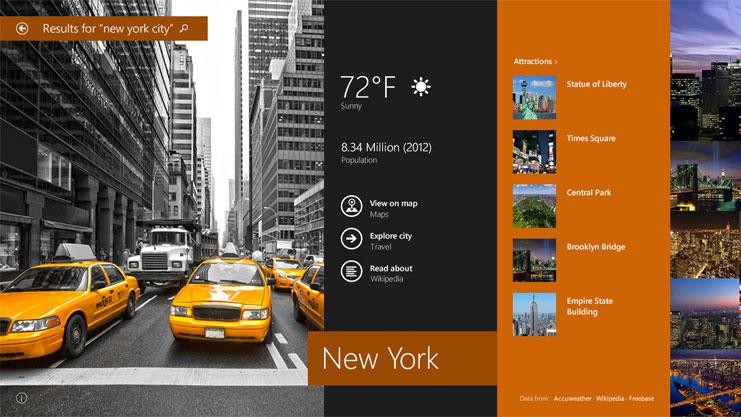
  • Bing smart integrated search
  • New Facebook application
  • Multi-windows mode (more than 3 parallel windows)
  • Slide show on lock screen
  • Integrated Skype on the lock screen
  • New Bing Food and Drink & Bing Health and Fitness application
  • Improved Windows store
  • New sizes for Windows tiles (Extra large and very small)
  • Integrated SkyDrive
  • New PC setting Menu
  • Keyboard gesture and auto-predict (only for touch PC)
  • Arrange tiles into different groups
  • Improved performance and stability
So, these were a few features that I remembered but there are still more to explore and that can only be done when you upgrade to Windows 8.1.
Now, not taking a breather, here I go with the steps......

Steps to Download and Install Windows 8.1:
This Activator has been discontinued, click here to get the latest activator
  • Download Windows 8.1 from here  (Download)
  • This is a torrent file so you need bit-torrent to open it.
  • Password is 'awdsoft'
  • Download the file using bit-torrent or any other torrent client
  • Open the file by using 'Winrar'
  • Run the file as a simple setup (no need of mounting on disc)
  • Want steps for installing Windows, Click Here
  • Now, Download the Activator from here   (Download Activator)
  • The steps cannot be explained in this post as they will create a confusion, So, a Read-me file has been included with the activator which will guide you through the steps of Installation.
  • Scroll down for video demonstration (at the end).
  • Enjoy, you have got Windows 8.1 activated for lifetime!


Video Demonstration:


Got any Problem while Downloading, feel free to go through the Troubleshooting Guide:
Unable to Access Adf.ly, Click Here
Unable to Download from Mega.co.nz, Click Here

Please Comment and Like the Blog
Password is awdsoft
Read More...

Monday, 4 November 2013

TRICK TO CHANGE FOLDER COLOR IN WINDOWS

4 comments

Hey Friends,
                  I am back with an incredible trick with which you can effortlessly change the color of any folder in Windows without breaking a sweat. Every one of you must be having a urge to change the shade of folders in Windows and make your Windows look more alluring and excellent. Notwithstanding, all your longings will be satisfied as I will let you know in the vicinity of an extraordinary program that can change the shade of your folder on Windows quickly.
So, lets get together and perform our blessed custom of telling the features......

Features of Folder Colorizer: 
  • Change the Color of any Folder in Windows effectively. 
  • Look over an extensive variety of shades. 
  • Simple to utilize and viable program. 
Along these lines were the characteristics of this little titan.
Right away, not sitting down, here, I run with the steps......

Steps to Download and Install Folder Colorizer:
  • Download and Install Folder Colorizer from here (Download Folder Colorizer)
  • Install and close it.
  • Select Any Folder and right click it.
  • Click on 'Colorize' option from the list.
  • Another Window opens and you have to click on 'Activate' (present at the bottom).
  • Enter your valid E-mail address and click on 'Activate'
  • Now, just right click on the folder to color.
  • Click on 'Colorize' option from the list and choose your desired color.
  • Enjoy!


Follow the steps carefully
Please comment and like the blog to keep it alive
Enjoy
Read More...

Saturday, 5 October 2013

WINDOWS 8 HIGHLY COMPRESSED DOWNLOAD (JUST 10 MB)

14 comments

Hey Friends,
                   I have got a real time saving thing for you. I know most of you might be having 'Windows 8' installed on your computer but there are some who are continuously searching the web to Download 'Windows 8' but don't worry because we at 'Awdsoft' have solved your problem.
Now, you can easily download 'Windows 8' for your system for free with the maximum possible ease. Another, Great surprise for you that is that this 'Windows 8' is Highly Compressed which means that I have Compressed this 3.8 GB bulk file into just 10 MB! Isn't that amazing. So, you don't have to worry about downloading a bulk 3.8 GB file when you can get the same file in 10 MB.
Want Features, I have to give because its our ritual....

Features of Windows 8:
  • Language and Standard Support.
  • Completely New UI (User Interface).
  • Windows store to download apps and games.
  • New file explorer and Task manager.
  • Removal of start menu button.
  • New way to access system information and shut down PC.
  • Multi-Monitor support.
  • Microsoft account Integration.
  • Shell and User Interface.
  • New lock screen and Start screen.
  • File History.
  • Shorter Boot Time.
  • And many more countless features.........
So, as you have seen the features of 'Windows 8', lets see the System Requirement for 'Windows 8'.....


System Requirement For Windows 8:
  • 1 gigahertz (GHz) or faster 32-bit (x86) or 64-bit (x64) processor.
  • 1 gigabyte (GB) RAM for 32-bit and 2 gigabyte (GB) ram for 64-bit processor.
  • 16 gigabyte (GB) available hard-disk space for 32-bit and 20 gigabyte (GB) for 64-bit.
  • DirectX 9 graphics device with WDDM 1.0 or higher driver.
So, these were the system requirement for 'Windows 8'......
Now, not taking much of your time, here I go with the steps..........
If you want to Install Windows 8 using a USB drive or Pen-Drive, then Scroll Down.........


Steps to Download and Install Windows 8:
Unable to Access Adf.ly, Click Here
  • Download Windows 8 from here (Download Windows 8)
  • Password is 'awdsoft'
  • Extract this file in a DVD.
  • Shut Down your PC.
  • Now, Place Windows 8 DVD in your dvd-rom drive and start your PC.
  • Windows 8 will start to boot up and you will get a loading screen with progress bar.
  • The next screen allows you to setup your language, time and currency format, keyboard or input method.
  • Choose your required setting and Click next to continue.
  • The next screen allows you to install or repair Windows 8. Since we are doing a clean install we will click on "install now".
  • The Setup Process will start.
  • At this stage you need to type your product key that came with your copy of Windows 8. Click next once you have entered the product key correctly.
  • You can enter a wrong product key and use the Awdsoft activator to activate windows 8. (Download Windows Activator)
  •  Read the license terms and tick I accept license terms. Then click next to continue.
  • Choose the type of installation you want. Since you are doing a clean install you need to click on custom.
  • Choose where you would like to install Windows 8.
  • If you want to partition an existing drive then click new. Choose the size of the partition and click apply.
  • Click OK to create the partition. Windows will create additional system partition which you don't have to worry about.
  • You will get the number of partitions you have created and you have to choose the primary partition where you want to Install windows 8.
  • At this stage Windows starts to copy files to your hard drive and begins the installation. This process might take a few minutes depending on your computer specification. Now is a good time to grab yourself a coffee.
  • When all the necessary files are copied Windows 8 will automatically restart.  
  • You will go through various progress bar and information messages.
  • You are now presented with "Let's go through a few basics" screen. It will automatically select personalize option.
  • Choose your PC name and personalize the color.
  • Choose other settings and you are ready to use windows 8.

Steps to Download and Install Windows 8 With USB:
Unable to Access Adf.ly, Click Here
  • Download Windows 8 From here (Download Windows 8)
  • Extract it at a good place.
  • Download and run Windows 7 USB/DVD Download Tool. (Download Now)
  • Don't worry about the name as it works for both.
  • Launch the tool after installing it and browse to the Windows 8 ISO image you created or downloaded from Microsoft.
  • Select the USB type Media Device to Continue.
  • Ensure your USB drive is connected to your computer and select it in the list. Remember, the USB drive must have at least 4 GB of free space and its contents will be erased.
  • The tool will now format your USB drive, make it boot-able  and copy the Windows 8 installer files to it. This will take several minutes. You’ll see the message “Backup completed” when the tool is finished.
  • Now, Follow the steps above and Install Widows 8.


This is Awdsoft's Biggest Post Ever!
Please Comment and Like the Blog to Keep it Alive
Follow the steps very carefully
ENJOY!
Read More...

Thursday, 15 August 2013

WINDOWS 7, 8 AND OFFICE 2013 ACTIVATOR

6 comments

Hello Friends,
                     I'm back with a great and complicated software to suit your taste. Most of you may encounter problems regarding the activation of Windows 7, 8 or Office 2013 (If you encounter problem with other versions of MS-OFFICE, Then CLICK HERE). But now, say good-bye to all your problems because we here at AWDSOFT have found a wonderful software to help you easily activate MS-OFFICE 2013 or Windows 7, 8 for free with just one click, isn't it great!
I know you all will say what is great because till now you have not tested this software.


So, not taking much of your time, here I go with the steps..................................

Steps to download and activate MS-OFFICE 2013 and WINDOWS 7, 8: -
  • Download the activator from here (Download Activator)
  • Unable to access adf.ly, Click Here
  • Open it and click on 'KMS-PICO'
  • Password is ' awdsoft '
  • Now, Install the activator of your PC.
  • After Installation, go to 'Drive:C > Program Files > KMSpico and open it
  • Now, Run "KMSELDI.exe" as Administrator
  • Click on the 'Green arrow facing downward'
  • Now, Click on 'The Red Button'  
  • You will have MS-OFFICE 2013/WINDOWS 7, 8 activated for lifetime with the maximum possible ease.
  • If you encounter any kind of problem feel free to ask.


Note:-
  • You can carry on the windows updates as usual, if anything goes wrong, re-crack it.
  • Password is ' awdsoft '
  • Please comment and like the blog to keep it alive

AWDSOFT TEAM


Read More...